

A Beginner's Guide to Setting Up Your Etsy Shop
- Donna Townsend

- Apr 11, 2025
- 4 min read
Updated: Oct 10, 2025
If you are creative, love making things, and have ever wondered how to turn your hobby into a real source of income, Etsy is one of the best places to start.
Etsy is an online marketplace designed for creators and small business owners. Whether you design digital products, handmade jewellery, wall art, or printable planners, it connects you with customers around the world who love unique and thoughtful creations.
The process of setting up a shop is easier than you might think. With a bit of planning, the right tools, and some creativity, you can open your Etsy store and start making sales sooner than you expect.
Let’s go step-by-step through everything you need to launch your shop successfully.
Step 1: Do Some Research and Make a Plan
Before you open your shop, spend a little time exploring Etsy. Look through the categories related to your niche and take notes on what is trending, how other sellers present their listings, and what kinds of products are selling well.
Ask yourself:
• What kind of products am I most excited to create?
• Who is my ideal customer and what problem or need do my products solve?
• How can I make my shop stand out?
Think about your brand voice, style, and what makes your work unique. For example, you might focus on minimalist digital wall art, colourful planners, or boho-inspired designs. The clearer your direction is from the start, the easier it will be to grow.
Need help identifying your niche? Check out Etsy's Seller Handbook — it’s full of insights.
Step 2: Create Your Etsy Account and Open a Shop
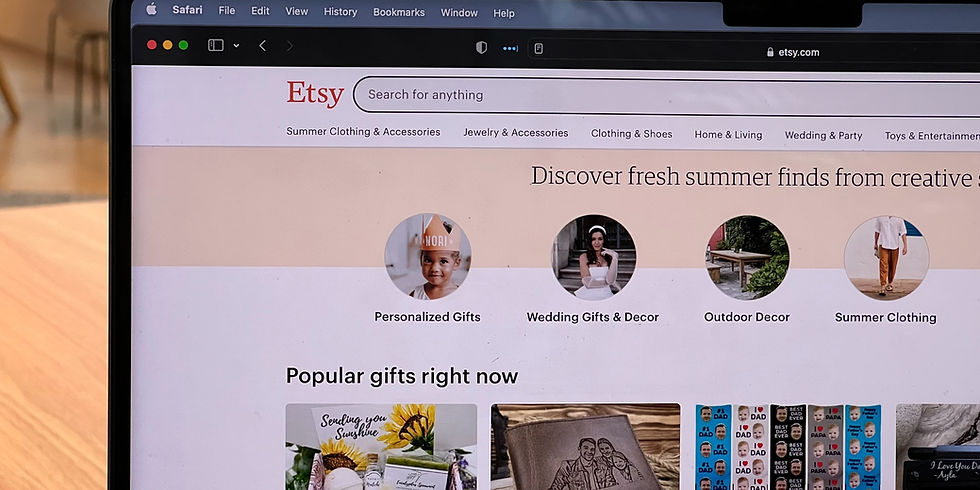
Go to Etsy.com/sell and click “Get Started.” Follow the steps to set up your account and open your shop.
When choosing your shop name, pick something memorable and easy to spell. It should reflect your brand’s personality and give customers an idea of what you sell. Avoid overly complicated names and keep it clear and simple.
Here’s a guide from Etsy on choosing your shop name.
Step 3: Build Out Your Shop’s Look and Feel
Once your account is set up, it is time to make your shop visually appealing. Upload a banner and logo that reflect your style and personality. Add a short introduction explaining who you are and what your shop offers.
When you photograph your products, use natural lighting and a clean background to help them stand out. Consistent, bright photography helps your shop look more professional and trustworthy.
Your goal is to make potential buyers feel confident about your quality and inspired to explore more of your listings.
Tip: Use natural light and a clean background when photographing your items—it makes a huge difference. Etsy has tips on product photography here.
Step 4: Start Listing Your Products
Click “Add a Listing” to start uploading your products. This part might take a bit of time, but it is worth doing carefully.
Your product title should be descriptive and keyword-rich. Think about what someone would type when looking for your item. Your description should include all important details such as the product’s purpose, size, file type, and any variations.
Use tags that describe your item accurately so it appears in relevant Etsy searches. The more relevant keywords you use, the better your chances of being found by potential buyers.
If you are not sure how to write strong descriptions and tags, the Etsy SEO and Marketing Guide is designed to help sellers optimise their listings, improve visibility, and drive more traffic to their shops.
Step 5: Set Up Shipping and Payments
Etsy lets you decide how to handle shipping depending on your product type. If you sell digital downloads, Etsy automatically delivers files to buyers instantly after purchase, which makes it easy for you.
If you sell physical products, you can set domestic or international shipping rates and use Etsy’s shipping labels. Make sure your policies on delivery times and refunds are clearly stated so customers know what to expect.
For payments, Etsy Payments is the easiest option as it covers most methods including cards, PayPal, and Apple Pay.
Here’s the guide on setting up Etsy Payments.
Step 6: Promote Your Shop
Now that your shop is live, get the word out. Use platforms like Instagram, Pinterest, and Facebook to share your products, behind-the-scenes content, and updates. These are perfect for showcasing visuals and behind-the-scenes content.
You can also create blog posts or videos that link back to your Etsy shop. Share tips related to your niche, such as design inspiration or product tutorials, to build interest and authority.
If you want to learn how to use social media effectively to promote your products, the 24 Social Media Guides Bundle will show you exactly how to grow on TikTok, Instagram, Pinterest, YouTube, and Facebook without feeling overwhelmed.
To take your promotion to the next level, consider joining the Passive Income Membership, which includes full training on content strategy, traffic growth, and monetising your creative business online.
Step 7: Keep Improving and Adapting
Your Etsy shop will evolve over time. Keep track of what sells best, read your customer reviews, and update your listings regularly. Stay open to trying new ideas, whether that means expanding your product range, testing new styles, or improving your branding.
Etsy trends change quickly, so keep an eye on seasonal opportunities and emerging styles in your category. You can also connect with other sellers in the Etsy Community to share tips and experiences.
Remember that running a shop is a learning process. Every month you will discover new ways to improve and refine what you do.
Explore the Etsy Community and forums to connect with other sellers and learn from their experiences.
Final Thoughts
Starting an Etsy shop is one of the most rewarding ways to turn your creativity into a business. With a bit of planning, effort, and consistency, you can build a shop that not only makes money but also brings joy to your customers.
Whether you are creating digital downloads, handmade items, or printable planners, your shop can become the foundation of your online business.
And before you start your shop, grab your free guide Passive Income in 2026. It is packed with upcoming trends and strategies to help you stay ahead of the curve while building a profitable creative business.
Your creativity deserves to be seen, shared, and celebrated. Etsy is just the beginning of your journey.
If you want to dig even deeper, Etsy has a full Beginner's Guide to Selling.

$50
Product Title
Product Details goes here with the simple product description and more information can be seen by clicking the see more button. Product Details goes here with the simple product description and more information can be seen by clicking the see more button

$50
Product Title
Product Details goes here with the simple product description and more information can be seen by clicking the see more button. Product Details goes here with the simple product description and more information can be seen by clicking the see more button.
$50
Product Title
Product Details goes here with the simple product description and more information can be seen by clicking the see more button. Product Details goes here with the simple product description and more information can be seen by clicking the see more button.


Comments